
Your year, already
in your calendar.
Your Transit Calendar computes every day the sky touches your birth chart exactly — and puts it straight into Apple, Google or Outlook with a plain-language explanation. Plus: the same year as a PDF book to read along.
- Based on NASA data DE441
- Instant PDF download
- For you & for gifting
- 14-day money-back







A year of sky, ready to schedule
Your year in your calendar
Every exact hit between the moving sky and your birth chart as a calendar entry — explained in everyday language, not jargon.
Windows, not single days
Slow planets work over days. Their dates get a multi-day active-window banner in your calendar: build-up, peak, fade.
A PDF to read along
The same year as a book: month by month, with full readings for the big dates and a compact list of the quick days.
Computed from your data
Name and date of birth are enough — birth time and place sharpen your Moon dates. You get both the .ics and the PDF.
What’s your name?
Your name goes into the calendar and onto every entry — your year, truly yours.
14-day money-back guarantee
Personal transit calendar: how your dates are made
Your birth chart stands still, the planets keep moving. The calendar notes when they meet.
What a transit is, in one sentence
A transit is the day a moving planet forms an exact angle to a planet in your birth chart. If Saturn makes a 90-degree angle to your birth Venus today, that is Saturn square Venus (a square just means friction that asks for a decision). The free transit calculator shows today’s sky against your chart; the calendar runs the same maths a whole year ahead.
It checks nine moving planets against your five personal points: Sun, Moon, Mercury, Venus and Mars. Those five describe how you feel, think, love and act, which is why hits on them tend to show up in everyday life. Each date is computed to the day and carries a plain-language explanation.
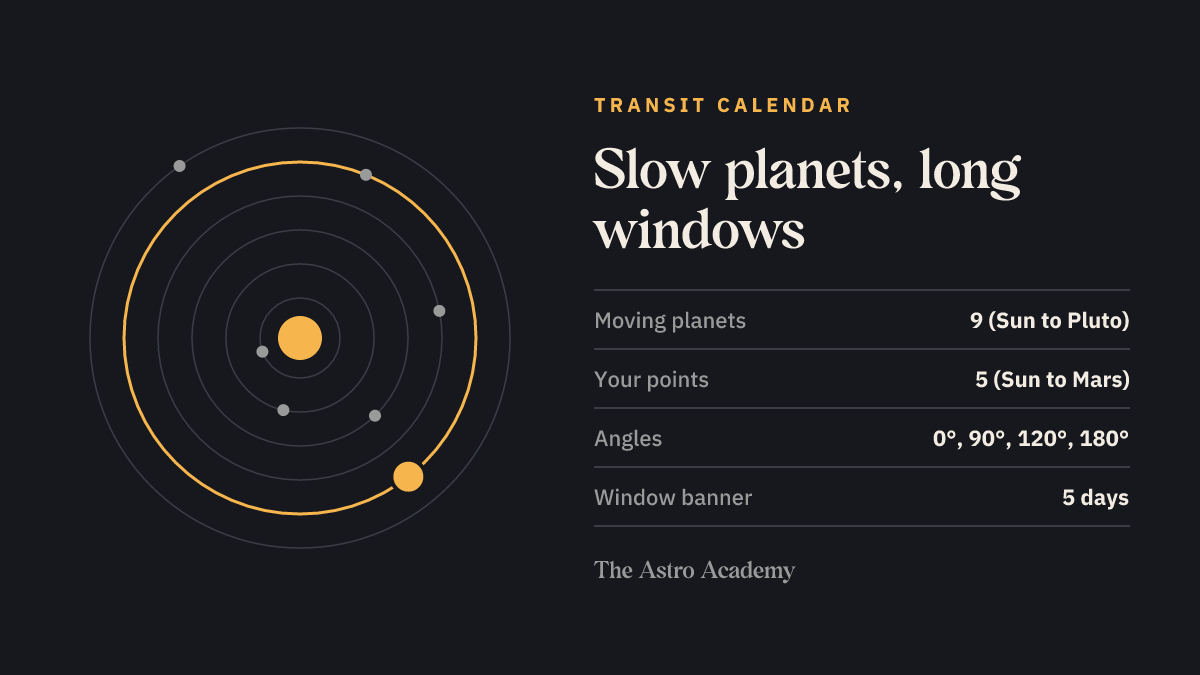
Two formats, one year
- The .ics file puts every hit into Apple Calendar, Google Calendar or Outlook. Slow planets add an all-day band from two days before to two days after the exact day.
- The PDF tells the same year month by month. Slow hits get full entries with tips; fast ones sit underneath as a compact day list.
| Building block | Detail |
|---|---|
| Fast planets | Sun, Mercury, Venus, Mars: a compact day list in the PDF |
| Slow planets | Jupiter, Saturn, Uranus, Neptune, Pluto: full entries and a 5-day band in your calendar |
| Your birth points | Sun, Moon, Mercury, Venus, Mars |
| Angles | Conjunction 0°, square 90°, trine 120°, opposition 180° |
| Precision | computed to the day |
| Formats | .ics file and PDF, both included |
| Years available | 2026 or 2027 |
| How to get it | Included in Pro, downloaded straight from your Pro account |
How to use the dates
Import the file into a calendar of its own. Then you can show your transits while planning a week and hide them when things get busy. If Tuesday shows Mars trine your Sun, read the entry in the morning and check in the evening whether the day felt different. Over time you learn which transits you actually notice. General events like the next Mercury retrograde live in the Astro Calendar, which is the same for everyone. If you want to see your chart first, start with the birth chart calculator. What each of the planets stands for is in the guide, and the year from your birthday on comes as a book in the solar return. Every edition is in the shop.
Good to know
What are transits — in plain words?

Your birth chart is the sky at the moment you were born — it stands still. But the planets keep moving. Whenever a moving planet forms an exact angle to one of your birth planets, that is a transit: today’s sky touching your birth sky. Those are exactly the days this calendar computes for you — with a plain-language explanation right inside each entry.
Which calendar apps does the .ics file work with?
Practically all of them: Apple Calendar, Google Calendar, Outlook, Thunderbird and any other app that imports the standard .ics format. Download the file, open or import it — done. Best create a dedicated calendar for it, so you can show and hide your transit dates any time.
Which timezone are the dates in?
Every exact date is stored as a universal-time moment (UTC) — your calendar app automatically converts it to your local timezone. You always see the time that is right for where you are, even while travelling.
What if I don’t know my birth time?
No problem — we calculate at noon. Only your Moon’s position can blur slightly; every date touching your Sun, Mercury, Venus and Mars stays exact. Birth time and place sharpen the Moon dates, but they are not required.
What’s the difference between the .ics and the PDF?
It is the same personal year in two formats — and you get both. The .ics file puts every date straight into your calendar app, including multi-day active-window banners for the slow planets. The PDF is the year as a book: month by month, with full readings to browse.
The sky comes in more formats
The Astro Calendar
Every astro event of the year — right inside your calendar.
Included in ProViewThe Astro Planner
Your weekly planner with the entire sky of the year.
Included in ProViewYour Birth Chart Book
Your complete birth chart as a book — it exists only once.
Included in ProViewYour Relationship Analysis
How you love, where it sparks, what carries you — from your two charts.
Included in ProViewYour Solar Return
Your year-ahead chart from your birthday — what your new personal year brings.
Included in ProViewThe Tarot Handbook
All 78 cards, the best spreads — and your personal birth cards.
Included in ProView